📻 How To: Walkie-Talkie Radio Setup
Stay connected with your crew, gang, or coworkers using the Walkie-Talkie — a real-time voice communication tool in Zenith RP. This guide walks you through setup, tuning frequencies, and talking securely over the airwaves.
🛒 Step 1: Purchase a Walkie-Talkie
- Visit any 24/7 Convenience Store (marked on map)
- Open the store menu and select "Walkie-Talkie"
- Confirm purchase — it will be added to your inventory
💡 The Walkie-Talkie is affordable and essential for roleplay coordination.
📱 Step 2: Open the Walkie-Talkie
- Open your Inventory (INVV)
- Locate the Walkie-Talkie
- Use it (click or press key)
✅ Once activated, the Walkie-Talkie UI will appear in the bottom-right corner of your screen.
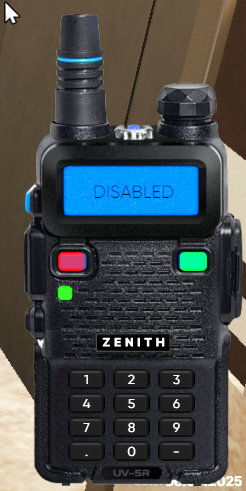
📡 Step 3: Tune to a Frequency
To communicate, you and your team must be on the same channel.
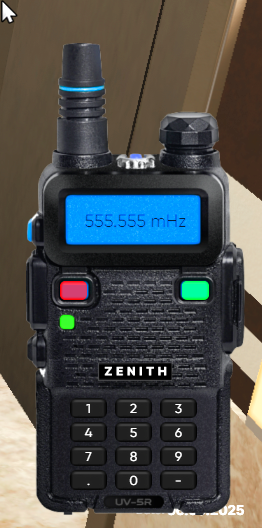
- In the Walkie-Talkie UI, enter a frequency in the format: xxx.xxx
(e.g.,101.55,99.70,112.33) - Click the green power button once to activate the channel
🌐 Only players on the same frequency can hear your transmission.
🎙️ Step 4: Talk to Your Team
- Press and hold the F2 key to speak (default key)
- Speak clearly — your voice transmits in real time
- Release F2 to stop broadcasting
🔧 After the next update, you’ll be able to customize the push-to-talk key in Settings → Keybinds.
🔒 Tip: Use private frequencies to avoid eavesdropping from cops or rival crews!
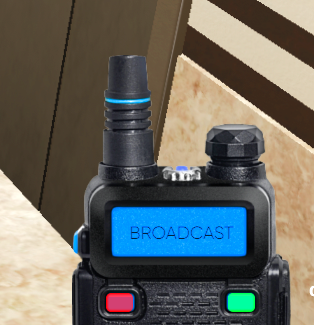
🚪 Step 5: Close or Shortcut
You can manage your Walkie-Talkie in two ways:
- Close it: Use the "Use" option in your inventory again
- Add to Quick Access: Assign it to a shortcut key for instant access during RP
🔄 You don’t need to keep it open in your inventory — just having it equipped allows push-to-talk.
📌 Pro Tips:
- Coordinate with your team before going live
- Avoid broadcasting sensitive plans on public frequencies
- Use codes or nicknames to stay discreet
Stay tuned, stay sharp, and keep the comms clear! 🎧
Need help? Join our Discord — remember, you need to enable JavaScript to run the app.